

1. After logging into your Carolina account, click the Account Information section seen below to access the shopping list feature.

2. Find and click "Shopping Lists"

3. Click "New List" to create a new list.

4. Name your list here and click "Create List".
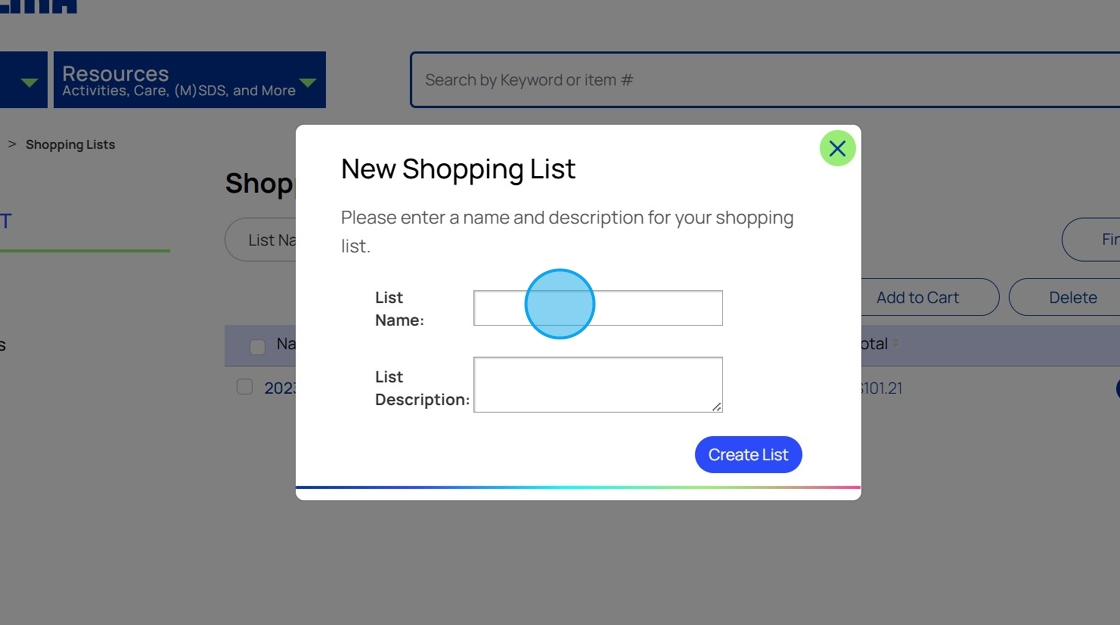
5. Update list preferences. If you plan to share your list with others, you'll need to select the wish list feature so they can see what has been purchased and what is left.

6. You'll see a menu of options here to select. Including add list to cart to purchase those items, copy, email, export and import your list.

7. Click "Update List" once you finish updates to make sure they save.

8. Search shopping lists here.
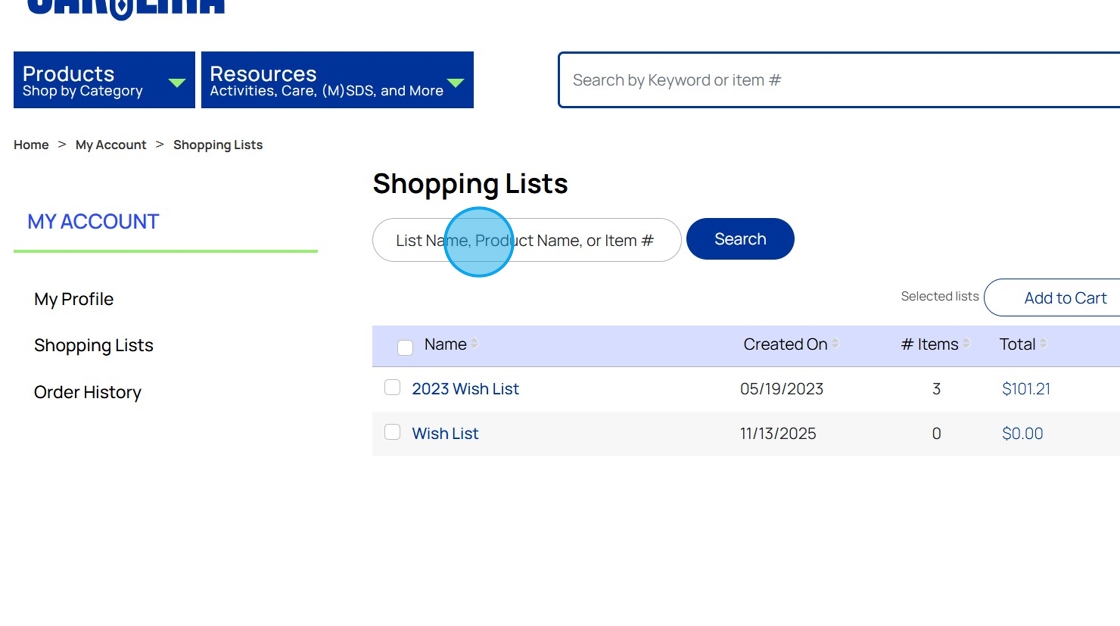
9. Quick access to email and copy your list can be seen here.

10. Quickly print your list by checking the list on the left and clicking print here in the top right hand corner of the screen.

11. To add items while shopping to your wish list, simply click the "add to wishlist" area below "Add to Cart".

12. Select which list you'd like to add, the item to. You may also create a new wish list at this point if you've not already done so.

13. Click "Save Item".

14. Click "Continue Shopping" or "Go to Shopping Lists".
